

This page contains code snippets. While they are verified to be safe to run, read through them fully and make sure you understand them before attempting to run them.
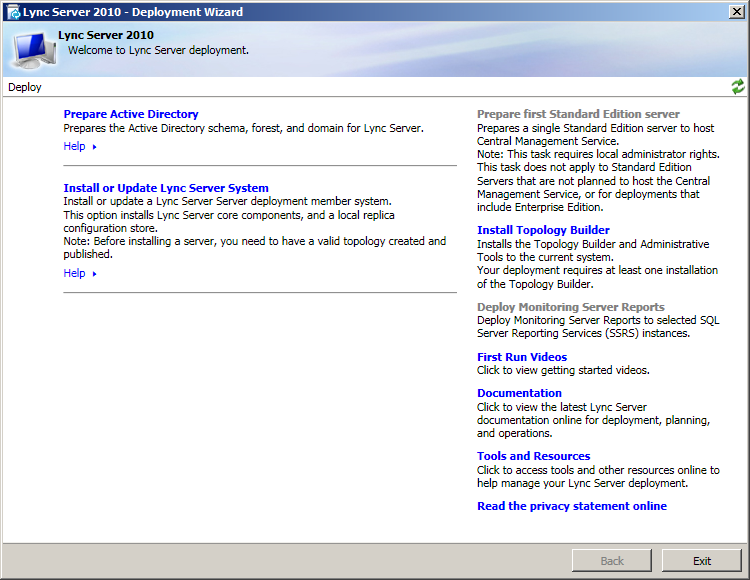
Lync 2010 is Microsoft’s real-time instant messaging and telephony platform. It supports both software and hardware based (known as Lync Phone Edition) clients, and uses SIP on the backend.
To be determined? Unlike Exchange, Microsoft has basically wiped themselves clean of Lync, and a lot of its online documentation never got archived.
To automatically install all built-in Windows prerequisites on 2008 R2 (skipping step 2 and some time later), you can use this PowerShell snippet:
Import-Module ServerManager
Add-WindowsFeature NET-Framework,RSAT-ADDS,Telnet-Client,Web-Server,Web-Static-Content,Web-Default-Doc,Web-Http-Errors,Web-Http-Redirect,Web-Asp-Net,Web-Net-Ext,Web-ISAPI-Ext,Web-ISAPI-Filter,Web-Http-Logging,Web-Log-Libraries,Web-Http-Tracing,Web-Windows-Auth,Web-Client-Auth,Web-Filtering,Web-Stat-Compression,Web-Mgmt-Console,Web-Scripting-Tools -Restart
Install Topology BuilderPrepare Active DirectoryPrepare SchemaPrepare Current Forest, make sure to
select Local domainPrepare Current DomainCSAdministrator and RTCUniversalServerAdmins
groups, then log out and back in if currently logged into that
accountPrepare first Standard Edition serverlyncshare
(for example
C:\Program Files\Microsoft Lync Server 2010\LyncShare)lyncshare,
and give the account you’re installing Lync on Full ControlNew Topology and select a location to save the
topology file toEdit Properties, modify
Administrative access URL to your liking, and choose the
Front End server to install Central Management Server toPublish TopographyInstall or Update Lync Server SystemInstall Local Configuration Store and
keep the default option to retrieve the config automaticallySetup or Remove Lync Server Components.dism.exe /online /add-package /packagepath:%windir%\servicing\Packages\Microsoft-Windows-Media-Format-Package~31bf3856ad364e35~amd64~~6.1.7601.17514.mum /ignorecheck
and reboot the server before trying againRequest, Install or Assign Certificates, then request a
certificate from AD CS. Give the certificate a name like
Lync Certificate, fill out the detail fields, and check
your SIP domain to be included. Assign the certificate to the Lync
serverOnce installed, there are some additional tasks to do.
_sipinternaltls and _tcp on port
5061 for the Lync serverWindows Registry Editor Version 5.00[HKEY_LOCAL_MACHINE\SYSTEM\CurrentControlSet\Control\SecurityProviders\SCHANNEL]
SendTrustedIssuerList=dword:0